Career Paths
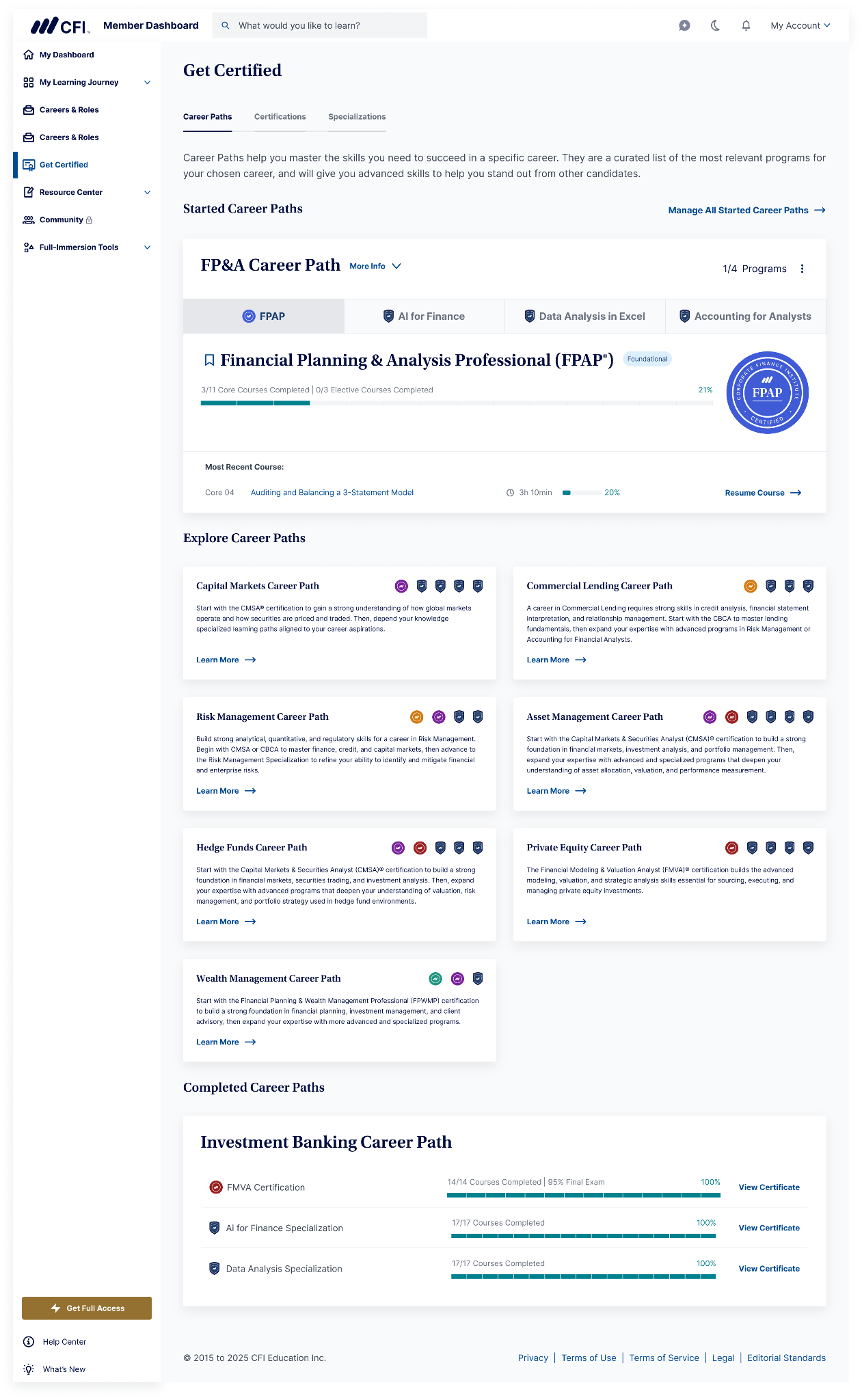
Career Paths are designed to help you build the skills you need for specific careers in finance. Each path presents a curated sequence of CFI programs — certifications and specializations —chosen to take you from foundational skills to more advanced, career-specific expertise.
Where to find Career Paths
- Go to Get Certified on the left-hand sidebar of your student dashboard
- Select the Career Paths tab (the first tab, before Certifications and Specializations)
Here you'll see sections for:
- Started Career Paths – any path you're currently working through
- Explore Career Paths – all available paths you haven't started yet
- Completed Career Paths – paths where you've finished every program
Select any Career Path card to open its overview and learn more about that path.
How a Career Path is structured
Each Career Path includes several programs (a mix of certifications and specializations) presented in a specific order. For example, the FP&A Career Path includes:
- FPAP Certification
- Data Analysis in Excel Specialization
- Accounting for Financial Analysts Specialization
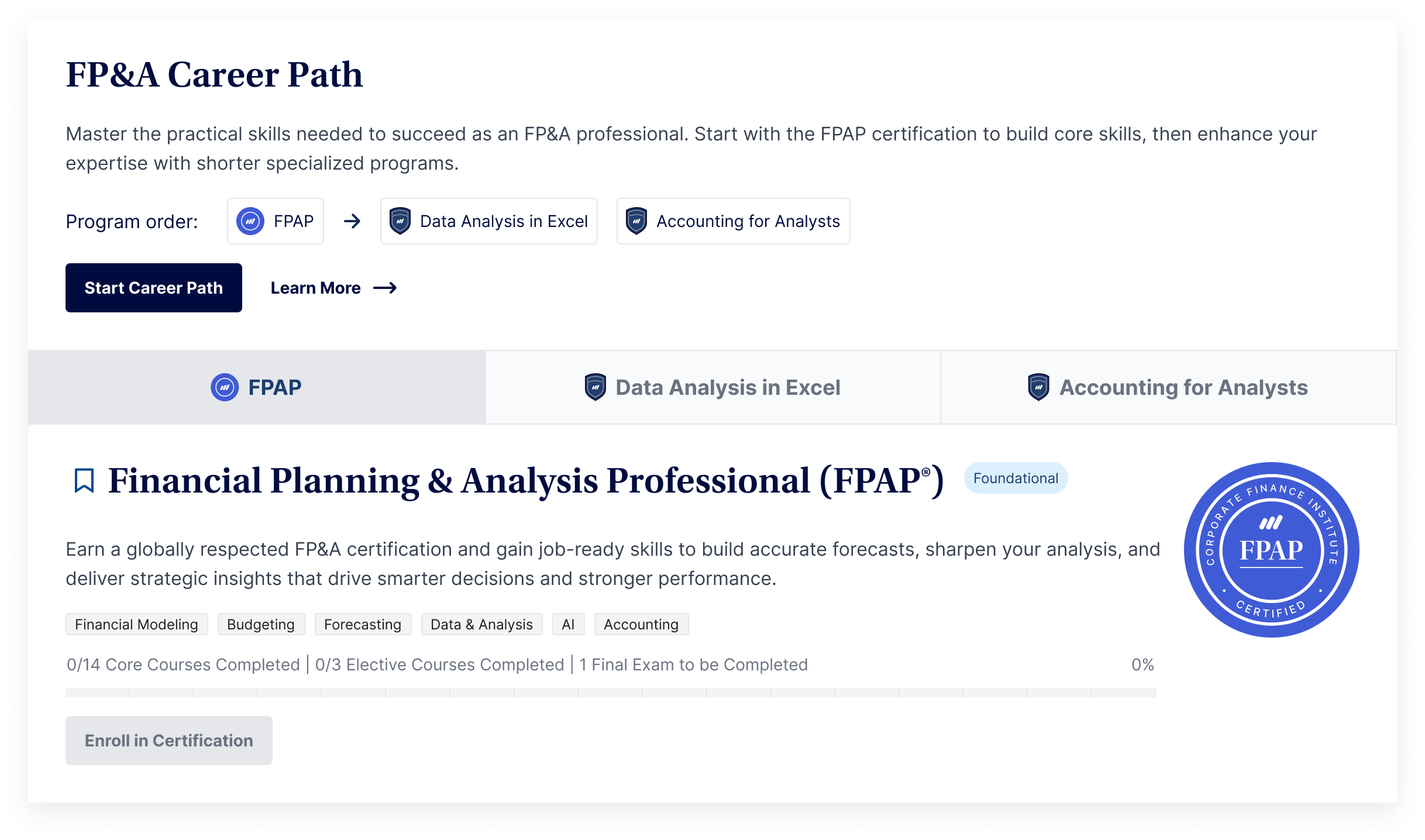
We recommend starting with the first program on the list (usually a certification), as it builds the core skills the rest of the path relies on. After that, you can take the remaining programs in whatever order works for you.
You don't have to complete every program in a Career Path, and you don't have to finish the path in full. There's currently no separate certificate for completing a whole Career Path — you'll still earn the individual certificate for each program you complete.
Starting a Career Path
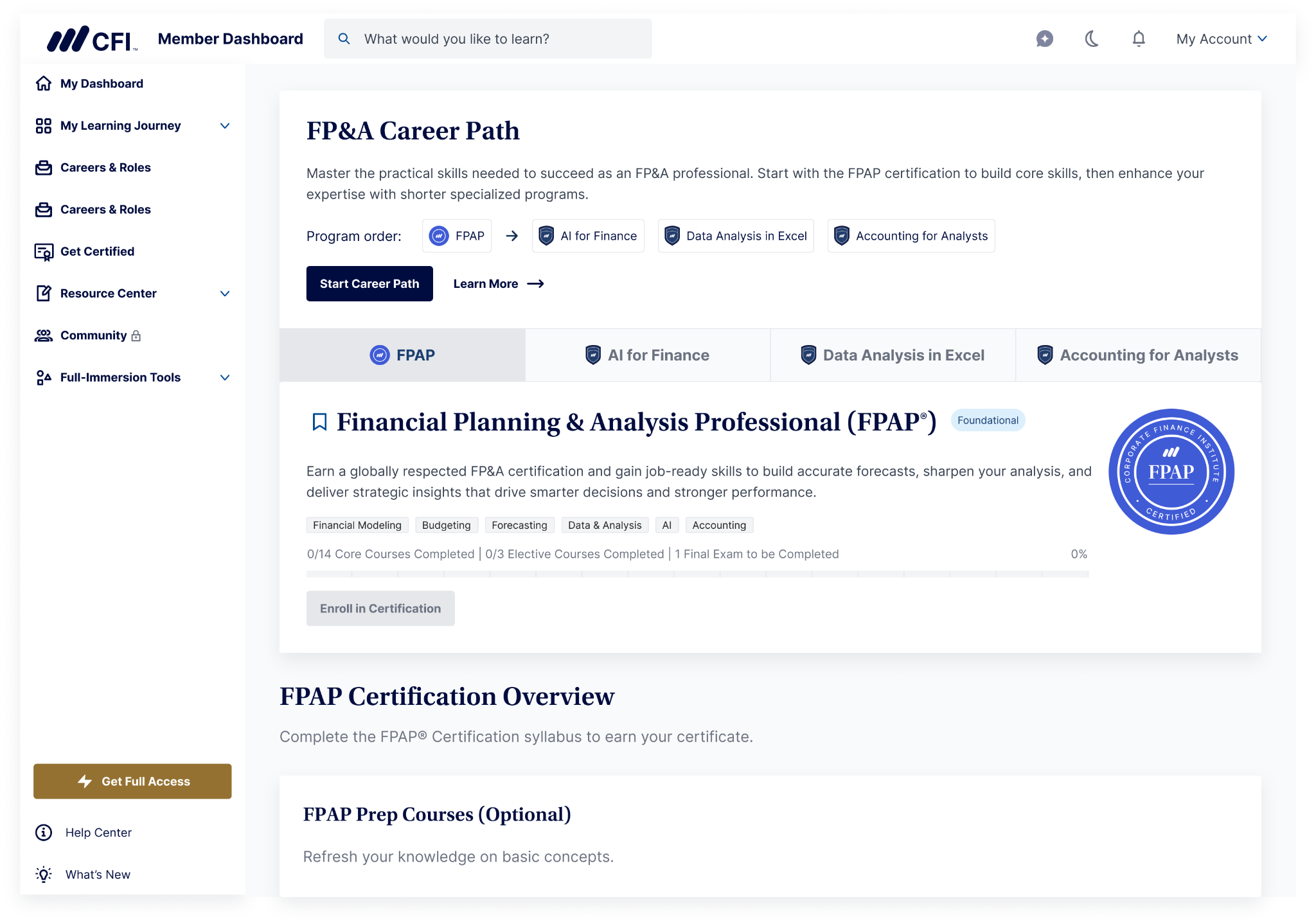
- Open the overview page for the Career Path you're interested in.
- Select Start Career Path.
-
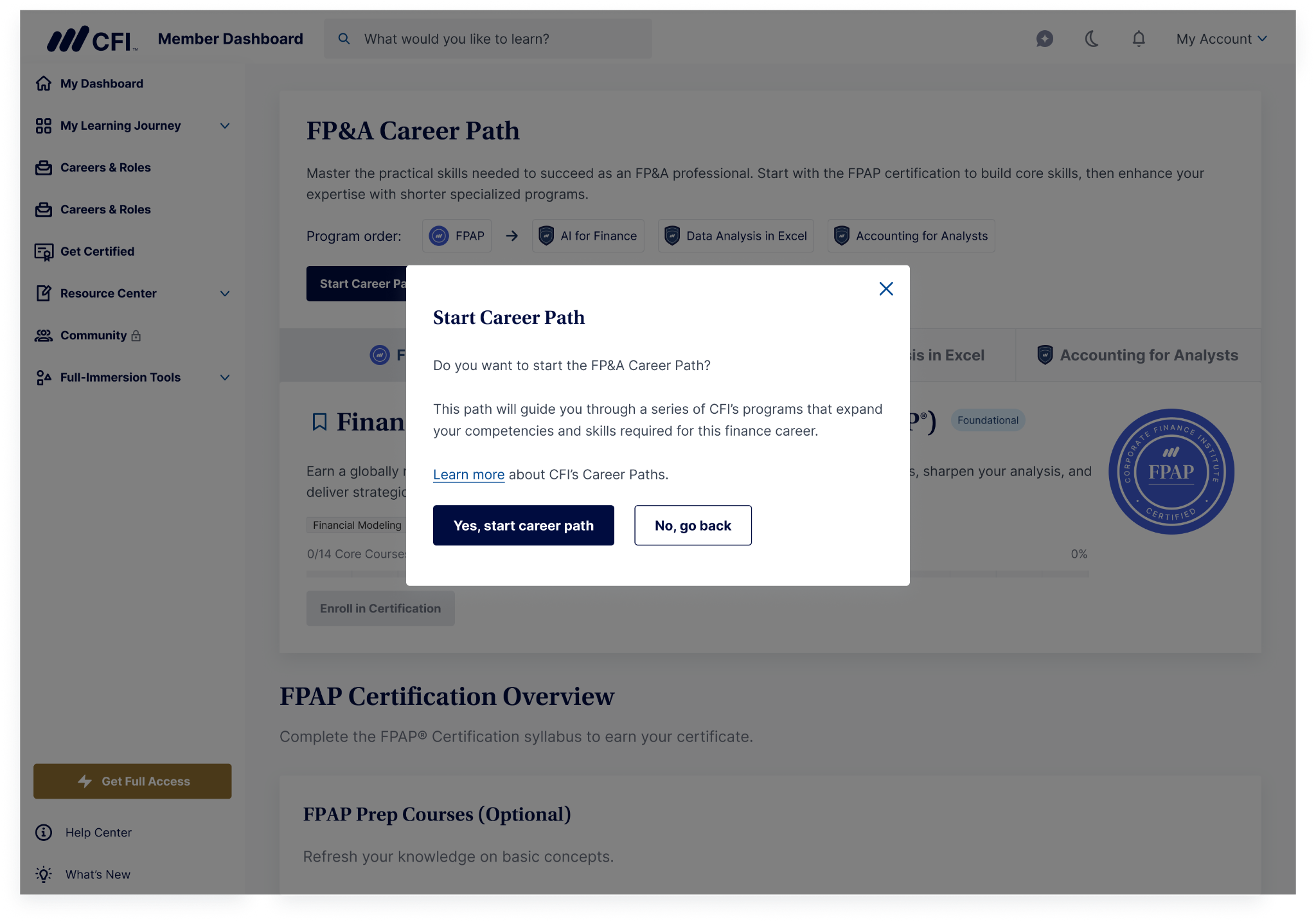
Confirm on the pop-up asking "Ready to start this career path?" by selecting Yes, start career path (or No, go back if you've changed your mind).
- You'll see a confirmation message letting you know your Career Path has started.
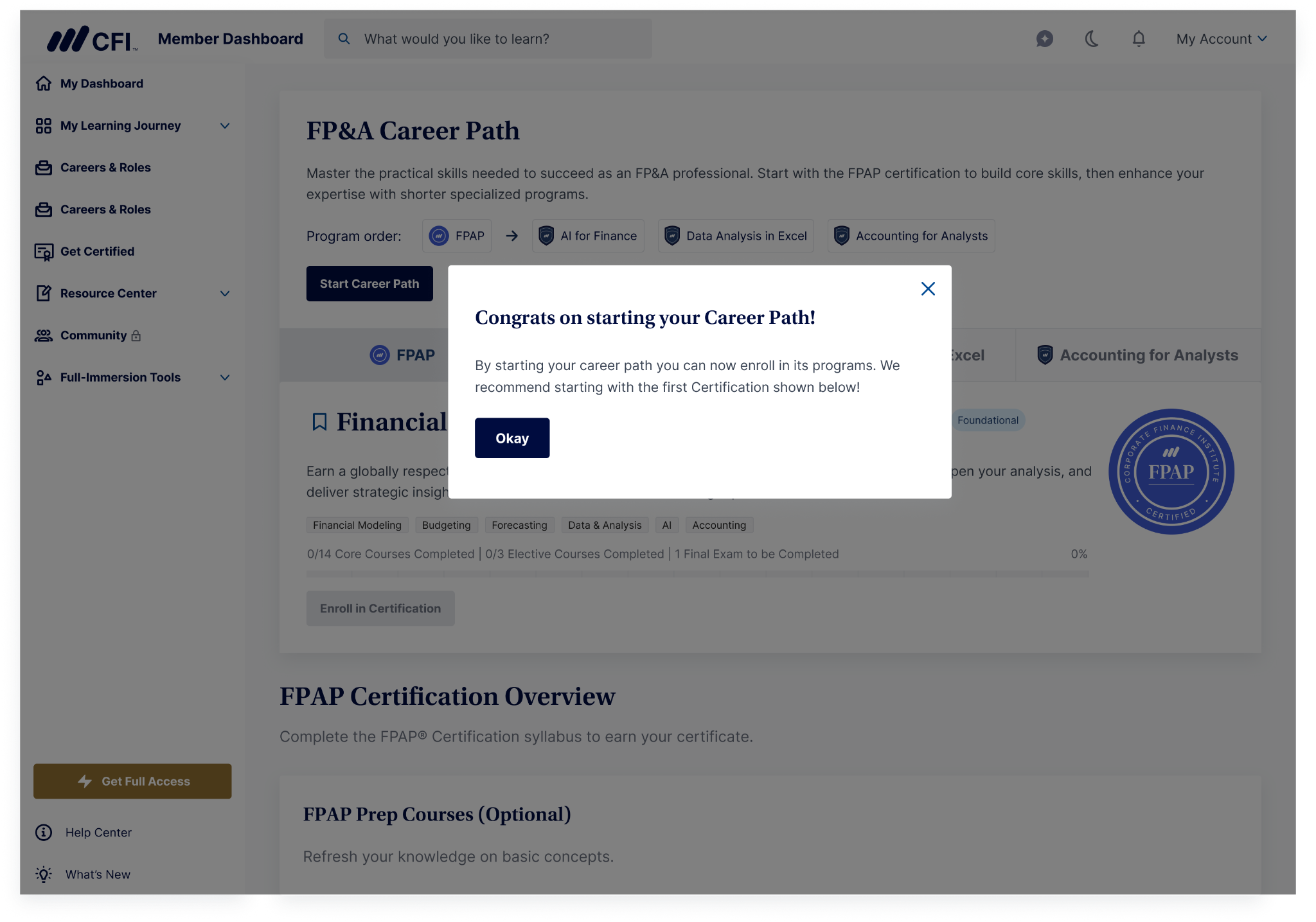
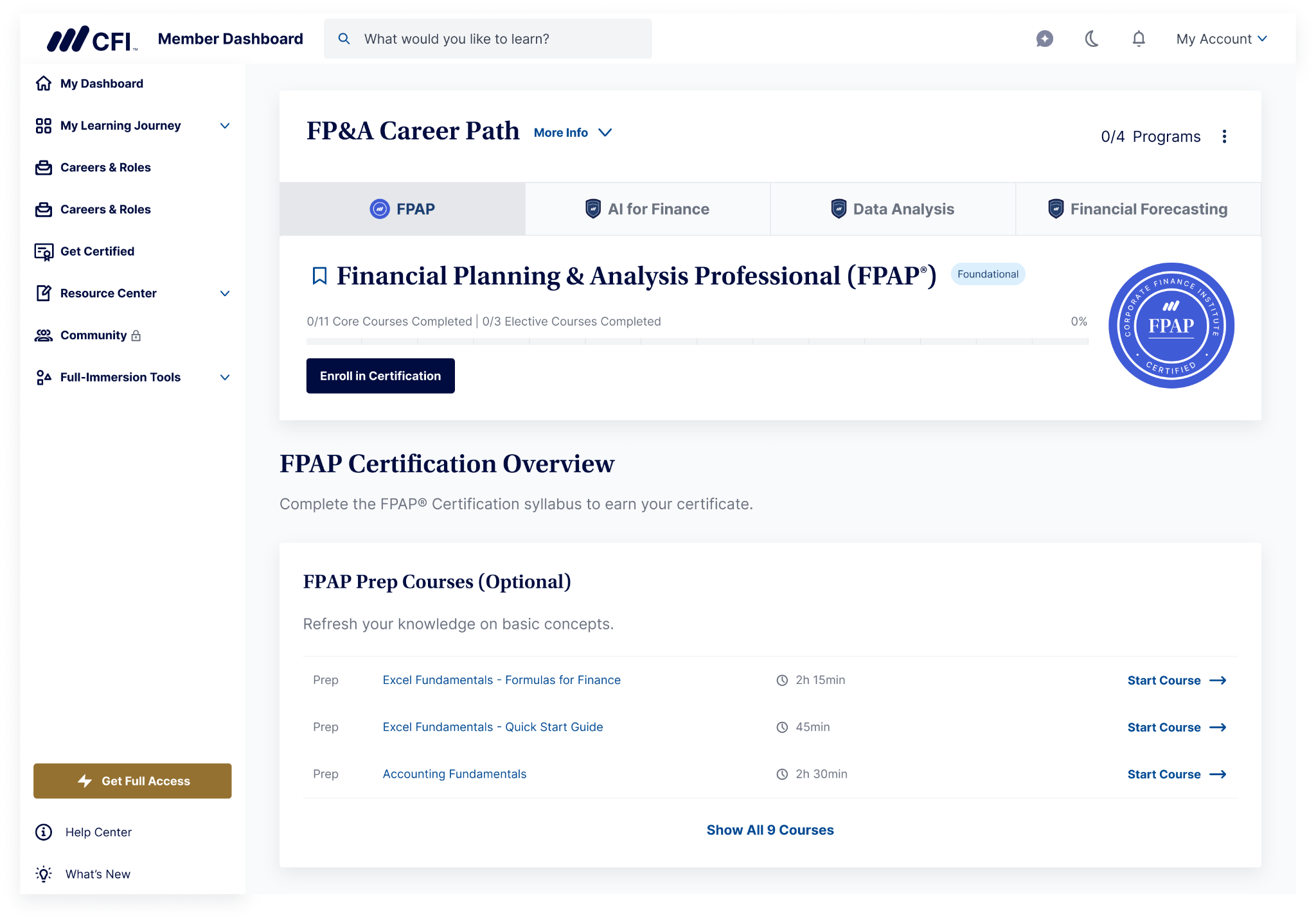
- Once you've started a path, the Enroll button for each program in that path becomes active.
Enrolling in a program within the Career Path
After starting a Career Path, select Enroll in Certification (or Enroll in Specialization) on the program you want to begin. This takes you through the usual enrollment steps for that program, including:
- Reading and accepting the CFI Honor Pledge (you'll enter your full legal name to confirm)
- Confirming your enrollment
Once enrolled, the program's courses appear in your Career Path card, and you can start working through them right away.
One active Career Path at a time
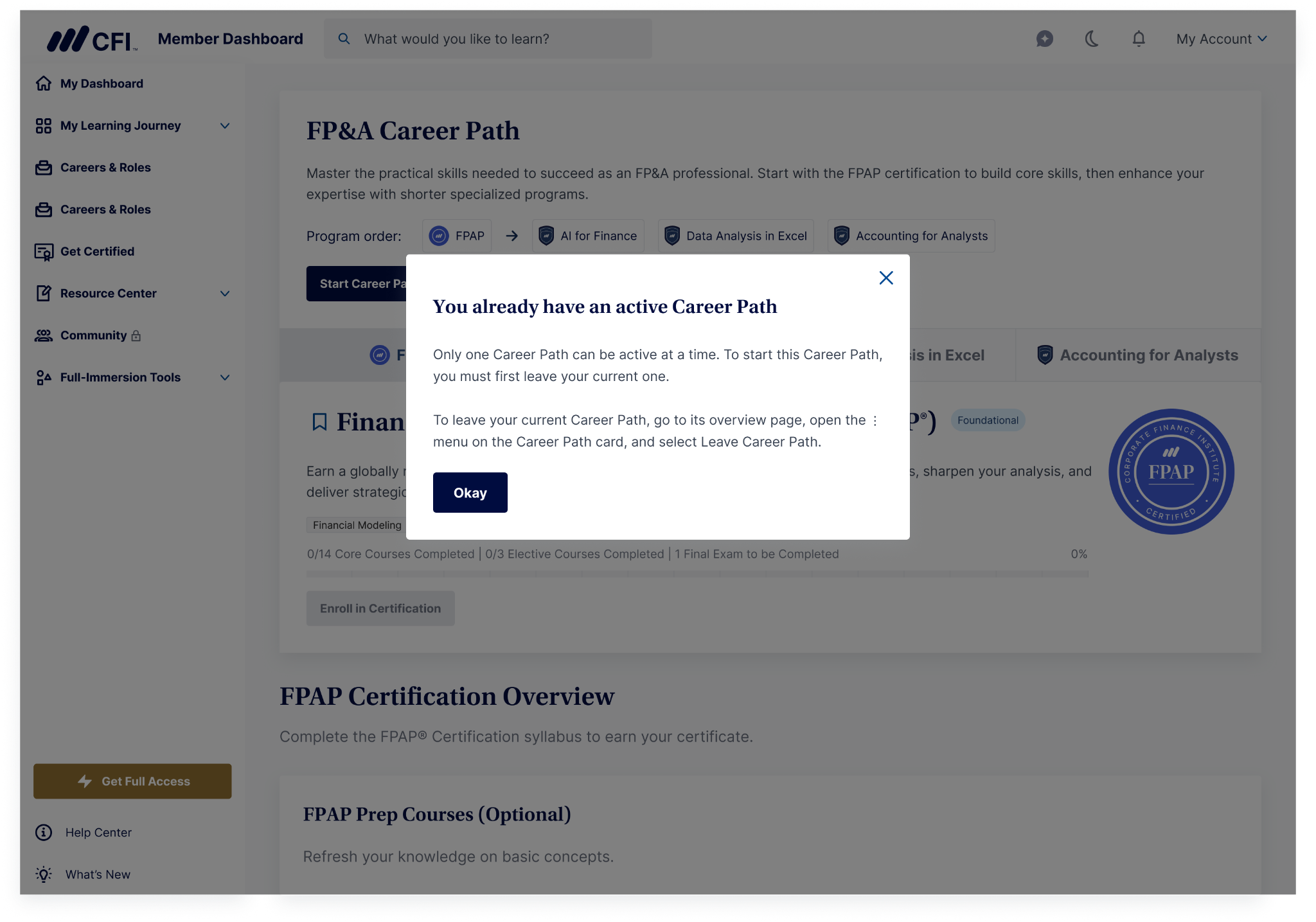
You can only have one Career Path active at a time. If you try to start a second path while another is already active, you'll see a message letting you know you'll need to leave your current path first.
How to leave a Career Path
- Go to the overview page of your active Career Path.
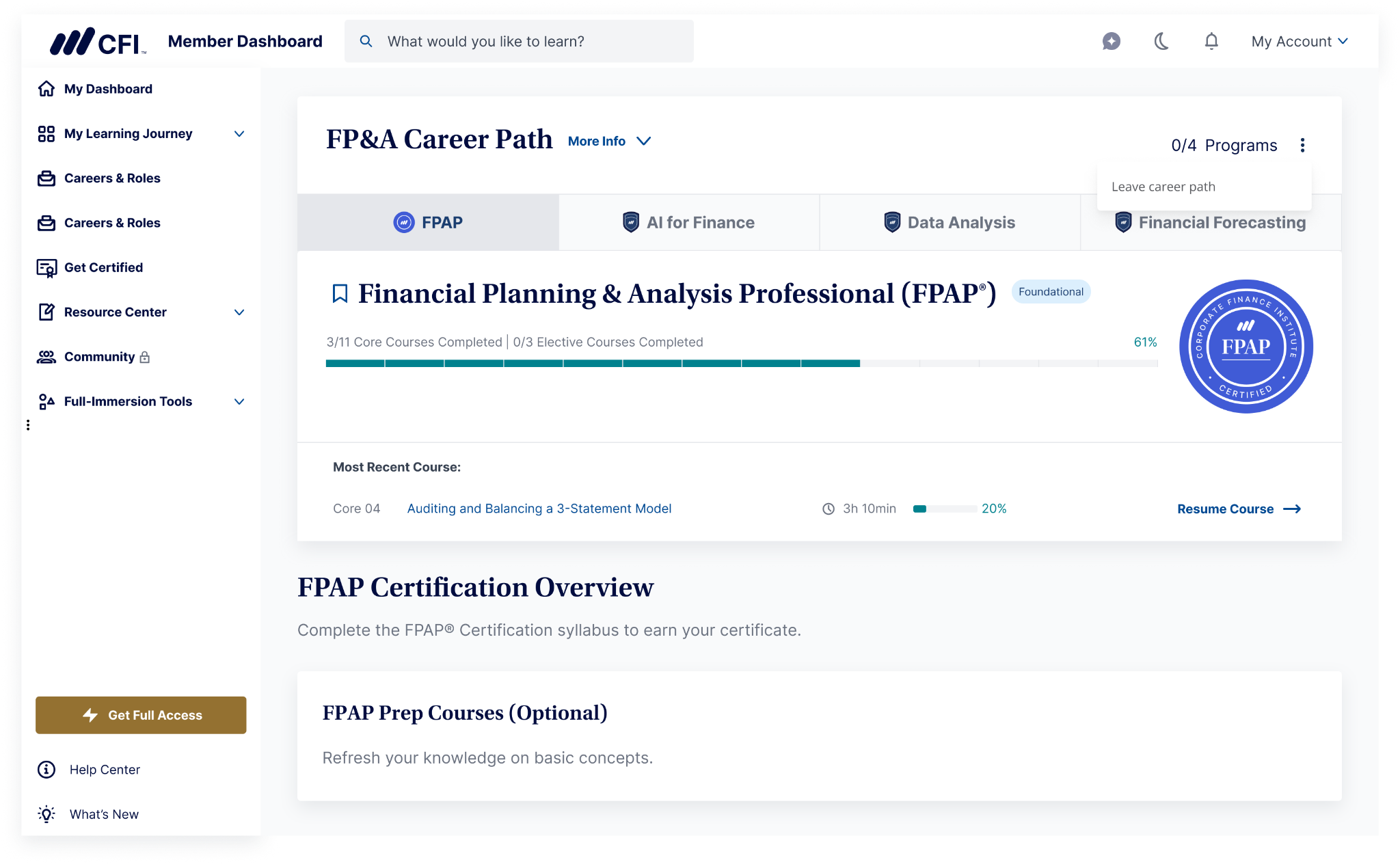
- Select the ⋮ (more options) menu on the Career Path card.
- Select Leave Career Path.
- Confirm by selecting Yes, stop current path.
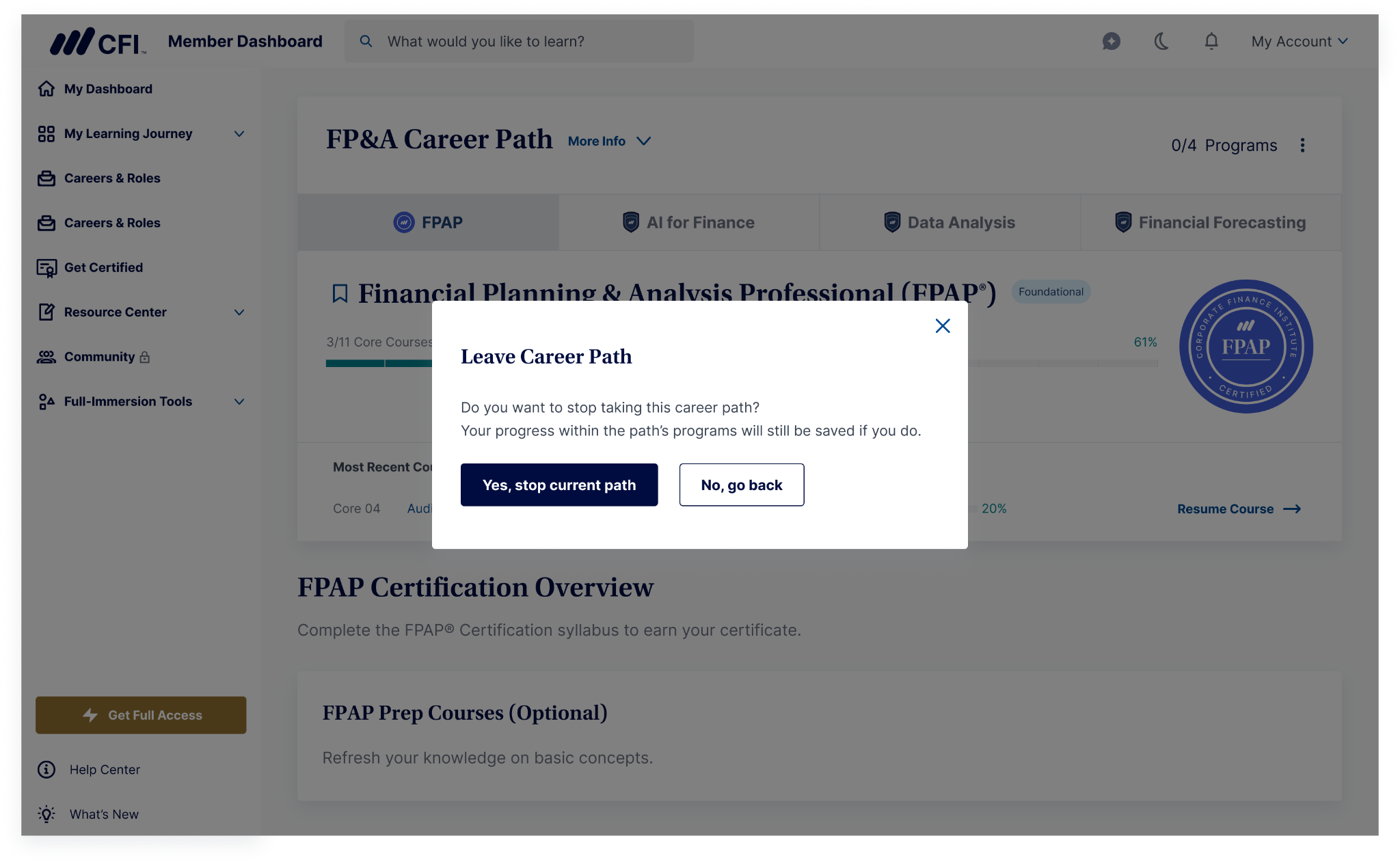
Leaving a Career Path doesn't erase your progress — any courses or programs you've already completed stay saved, and you can start a new path (or come back to this one later) at any time.
FAQs
- Do I lose my progress if I leave a Career Path? No. Your progress in any programs you've already enrolled in is saved, even after you leave the path.
- Can I skip the first recommended program? We recommend starting with the first program shown, since it's designed to build the foundation for the rest of the path. You can still choose the order for everything after that.
- Is there a certificate for completing an entire Career Path? Not currently — you'll earn a certificate for each individual program you complete, but there isn't yet a separate Career Path certificate or badge.